> For the complete documentation index, see [llms.txt](https://docs.lumi-ai.com/llms.txt). Markdown versions of documentation pages are available by appending `.md` to page URLs; this page is available as [Markdown](https://docs.lumi-ai.com/product-features/chat/chat-filters.md).
# Chat Filters
Chat Filters are a lightweight, conversation‑scoped way to control how Lumi queries your database during an analysis. Filters apply only to the active conversation, giving you fine‑grained control without affecting other analyses or users.
## Benefits for using Chat Filters
* **Precisely scope analysis** without queries or prompts
* **Refine results in real time** as questions evolve
* **Move seamlessly from exploration to investigation** within a single conversation
* **Preserve analytical context** while adjusting constraints
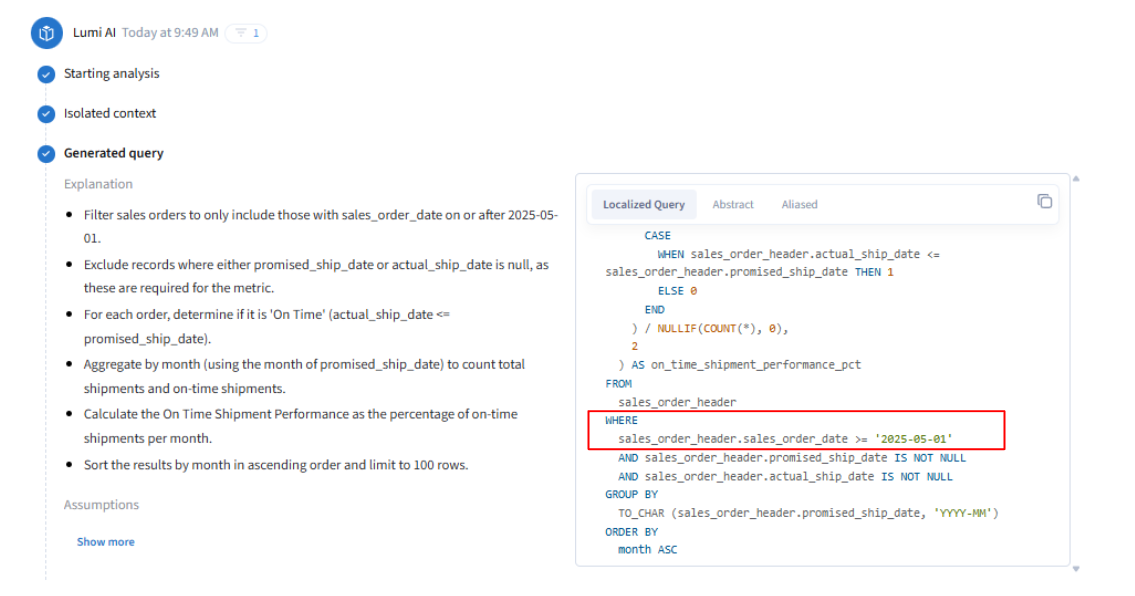
* **Maintain transparency and trust** by verifying filters directly in the generated SQL
## How to Apply Chat Filters:
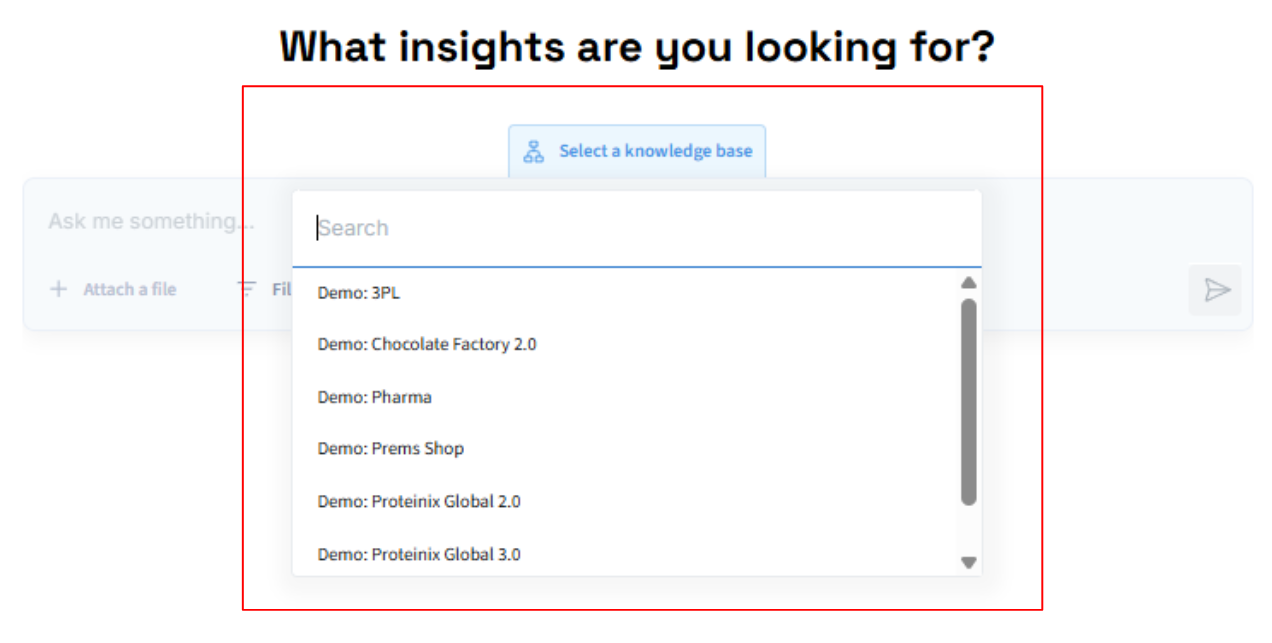
**Step 1:** Choose the knowledge base you want to extract insights from
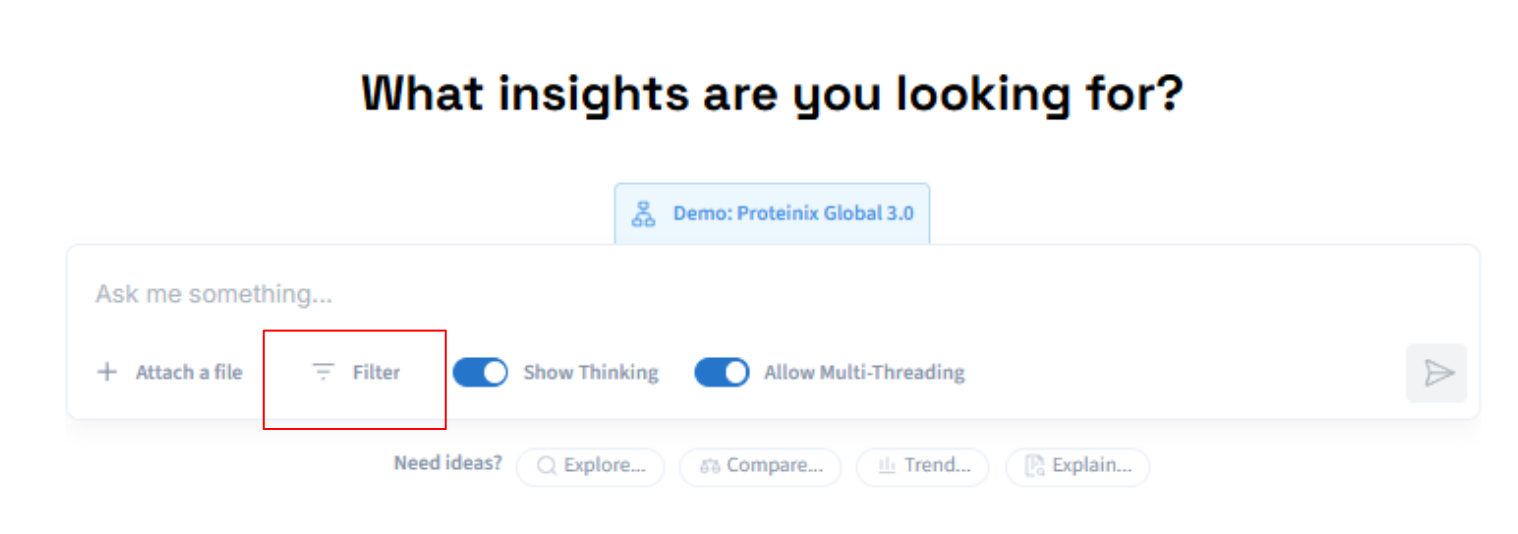
**Step 2:** Toggle the "**Filter"** button to view and apply attributes derived from your knowledge base (semantic layer) to the active conversation.
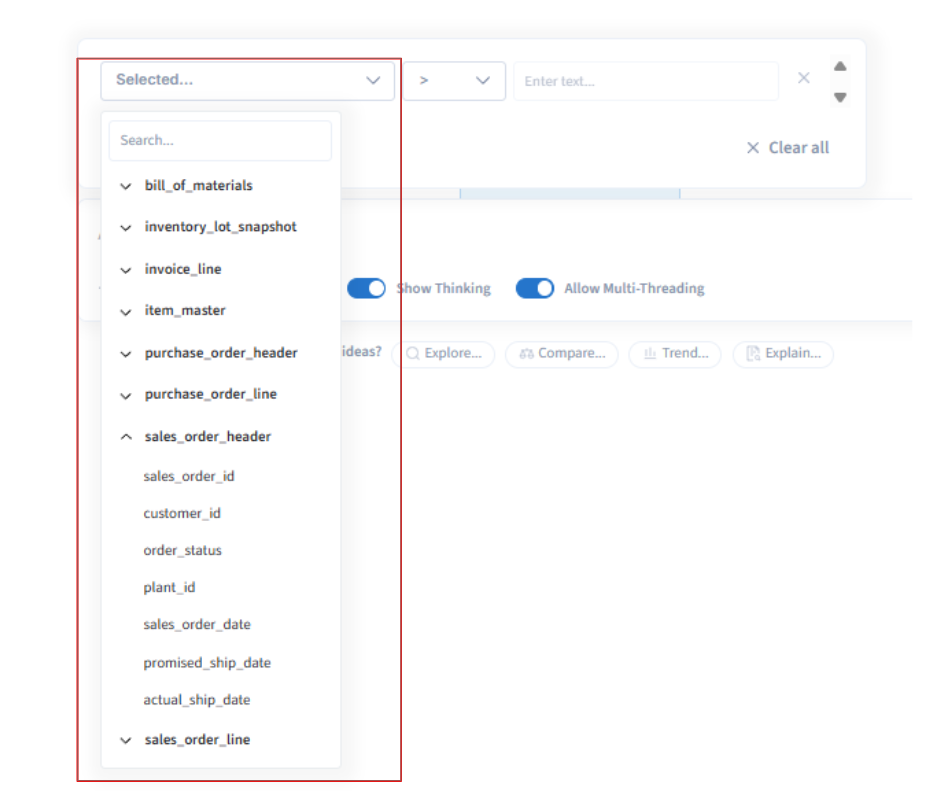
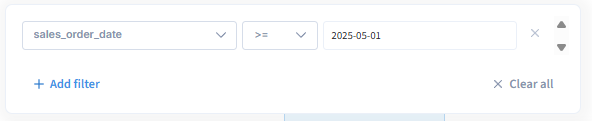
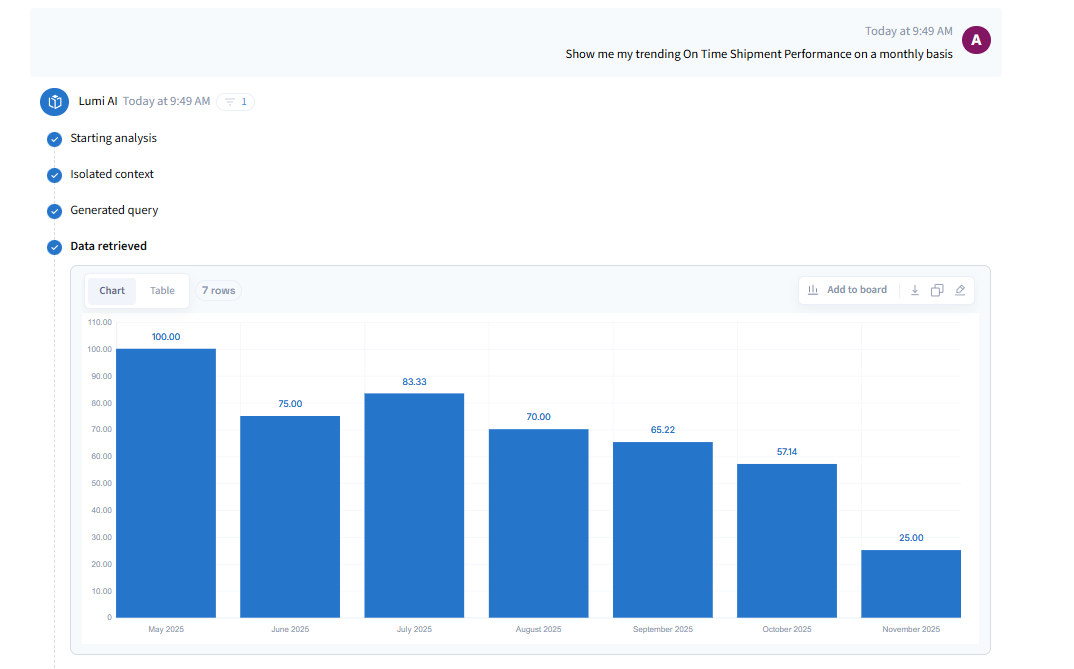
**Step 3:** Select one or more fields from your knowledge base and assign specific values to use as filters. For example, you could apply a date filter to focus on records occurring after April 2025.
**Step 4:** Visually, we can verify that our prompt generated insights starting May 2025.
\*\*For SQL-leaning stakeholders, Lumi makes the generated SQL visible so it can be reviewed and validated.