> For the complete documentation index, see [llms.txt](https://docs.lumi-ai.com/llms.txt). Markdown versions of documentation pages are available by appending `.md` to page URLs; this page is available as [Markdown](https://docs.lumi-ai.com/product-features/chat/managing-chats.md).
# Managing Chats
Managing your conversations is simple and flexible. With a few quick actions, you can organize, rename, or delete chats to keep your workspace clean and easy to navigate.
## Rename Chat[](http://localhost:3000/docs/product-features/chat#rename-chat)
To rename a chat, click on the chat title, make the necessary edits, and then save.
## Organize Chats[](http://localhost:3000/docs/product-features/chat#organize-chats)
The new Chats page gives you a dedicated module to browse all of your conversations in one place.
From the chat list page, you can:
* **Switch views:** Toggle between a compact List view and a visual Grid view (cards), depending on what you prefer.
* **Search:** Find any chat by title, creator, or other details.
* **Filter and sort:** Narrow the list down by who created a chat, which knowledge base it uses, or whether it's shared with you, and sort by things like when it was last modified.
* **Group:** Organize the list into collapsible sections, such as My Chats and Shared Chats.
* **See more at a glance:** Each chat shows useful details like last modified date, creator, knowledge base, and how many messages or comments it has.
* **Tag chats:** Use custom tags to organize your chats your way (see [Tagging](/product-features/chat/chat-3.0-beta/tagging.md)).
Breadcrumbs at the top of the chat header (for example, "Chat > 2022 Sales Analysis") make it easy to navigate back to this page at any time.
## Delete Chat[](http://localhost:3000/docs/product-features/chat#delete-chat)
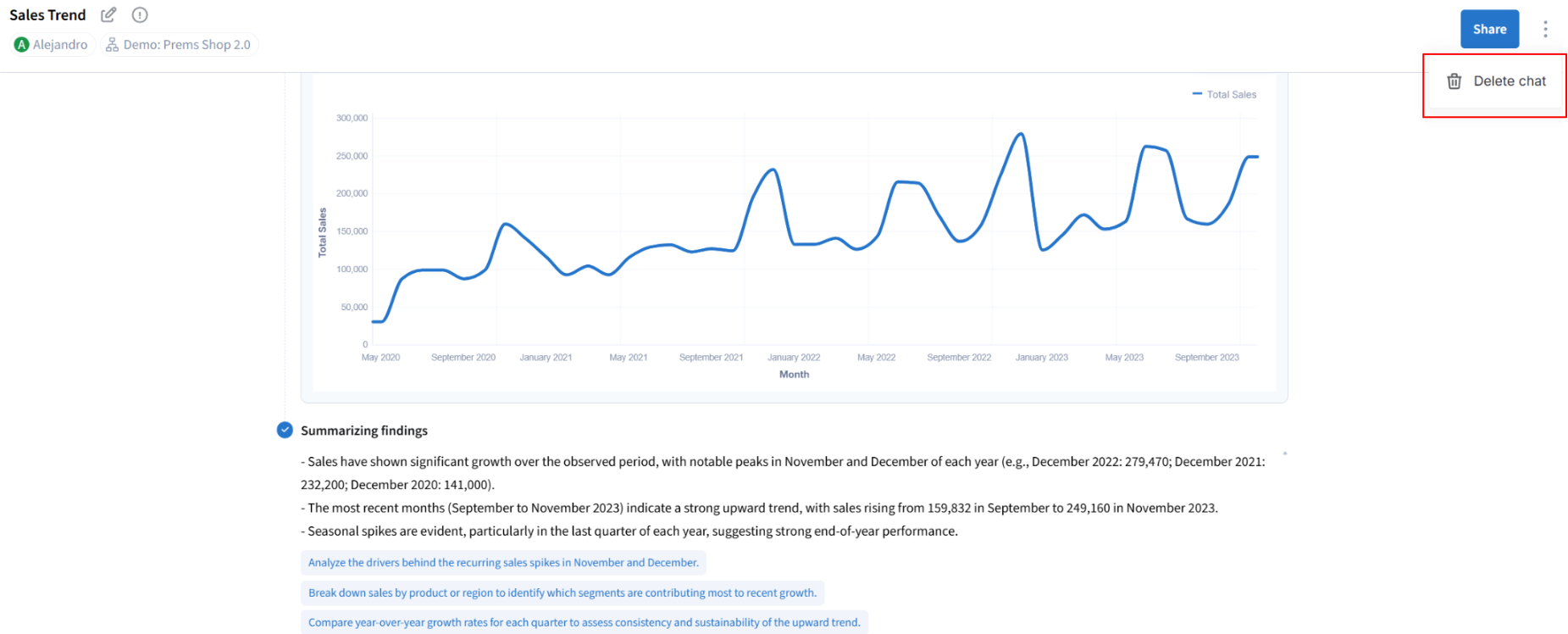
To delete a chat, click on the 3 dots next to share from within the thread.